

Commissions Software Built for Complex Compensation Plans
Automate commission calculations, eliminate spreadsheet errors, and handle even the most complex commission structures with ease.
We built Commissions Master after seeing businesses struggle with inflexible commission systems and error-prone spreadsheets. Our goal was to create a platform flexible enough to support real-world compensation plans without requiring businesses to resort to one-off or manual commission processes.
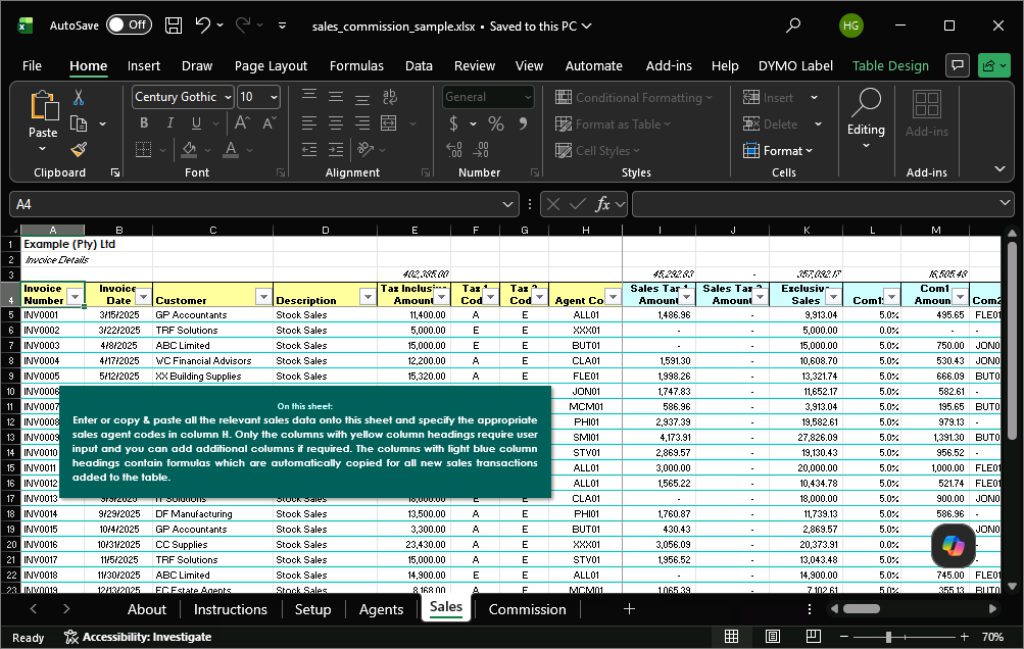
Go from this:
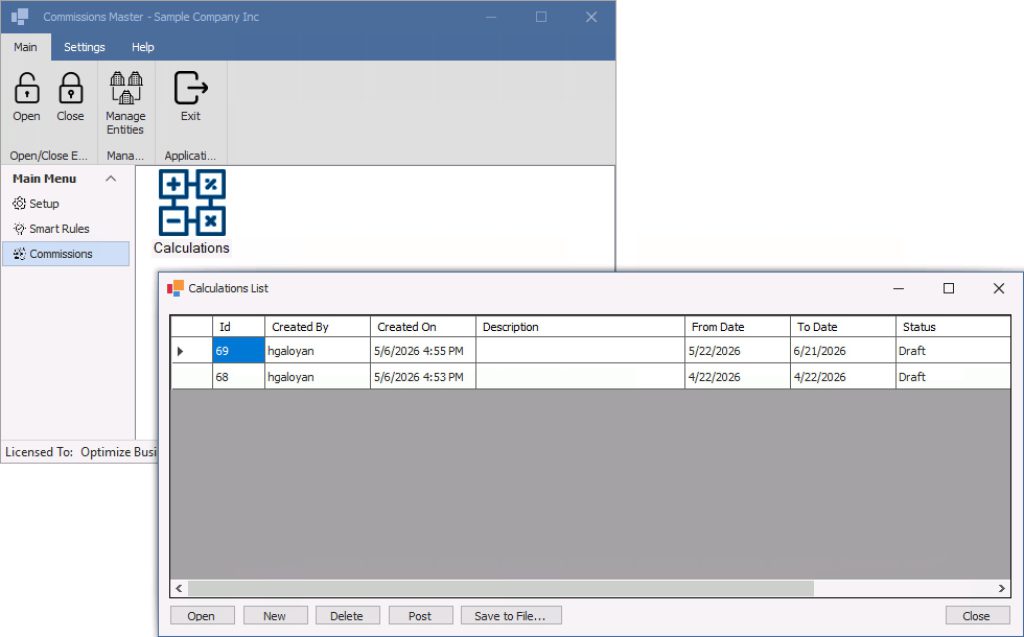
To this:
The Pain of Manual Calculations
Manual commission calculations create problems:
- Time-consuming monthly processes
- Costly calculation errors
- Sales disputes and mistrust
- Difficulty handling exceptions and overrides
- No audit trail
- Complex split commissions becoming unmanageable
- Payroll and AP processes disconnected from commissions
- Limited flexibility
As compensation plans become more sophisticated, spreadsheets break down. Commissions Master was built to solve exactly that problem.
Commissions Master
Commissions Master natively integrates with your ERP system and seamlessly pulls sales information to calculate commissions based on flexible calculation rules. Whether your commissions are based on:
- Revenue
- Profit Amount
- Profit Percentage
- Tiered rates
- Split sales
- Payment collection
- Team hierarchy
- Custom business rules
Commissions Master can handle it. And then it comes time to pay the commissions to sales people, it creates AP bills or payroll timecards with a click
Key Benefits
- Eliminate manual work: Automate calculations that normally take hours or days each month.
- Reduce Errors and Disputes: Create consistent, transparent calculations your sales team can trust.
- Handle Complex Commission Structures: Support tiered rates, splits, overrides, managers, and custom logic.
- Fully Integrated with ERP Systems: Sage 300 and Sage Intacct, with other integrations available.
- Complete Audit Trail: Store historical calculations for review, reporting, and payment tracking.
- Flexible Reporting: Export details to Excel or build custom reports based on SQL Server database.
- Multi-Entity Support: Manage commissions for multiple legal entities in one application.
Feature Highlights
Flexible Calculation Options
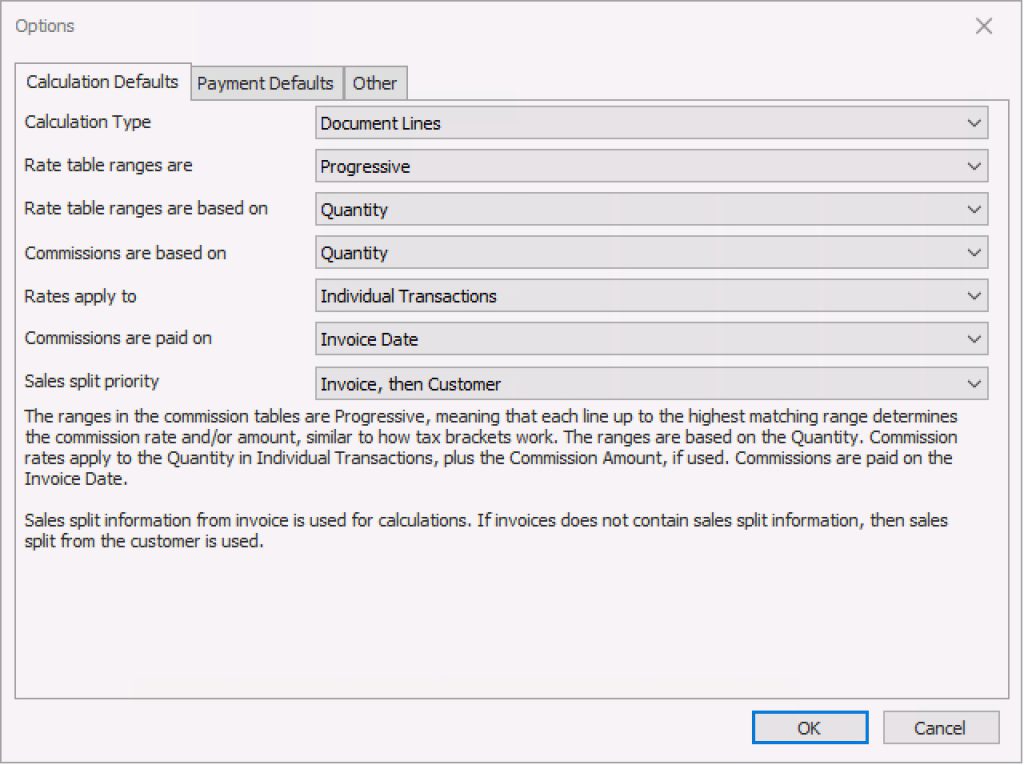
- Calculate on document header or individual detail lines
- Rate tables progressive amounts or the highest bracket reached.
- Rate table ranges based on sales amount, profit amount, profit percentage, or quantity.
- Commission amounts calculated based on sales amount, profit amount, or quantity.
- Calculate commissions on individual transactions, or totals for a period of time.
- Pay commissions on invoice date, due date, or when invoice is paid.
- Takes sales split from the invoice, the customer, or a combination of both.
These options can be overridden in each calculation.
Pay Commissions
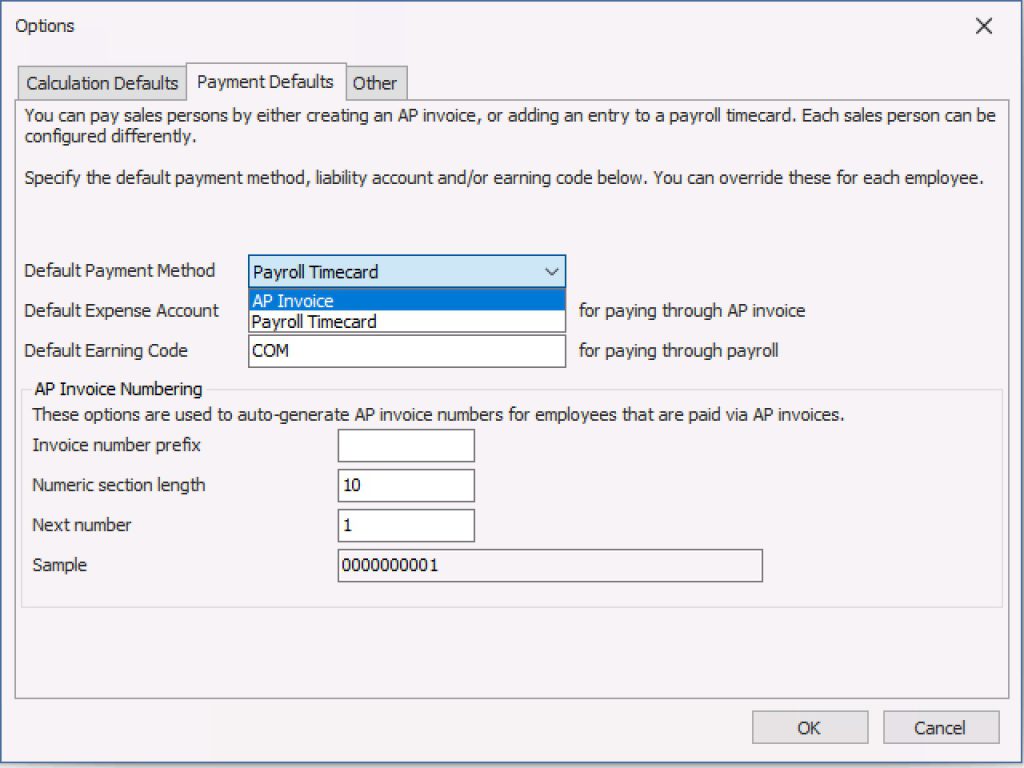
Pay your sales persons via:
- AP Bill
- Payroll Timecard (US/Canadian Payroll)
The default payment options can be overridden for each sales persons, so you can pay some of them via AP and some via payroll.
Smart Fields and Smart Rules
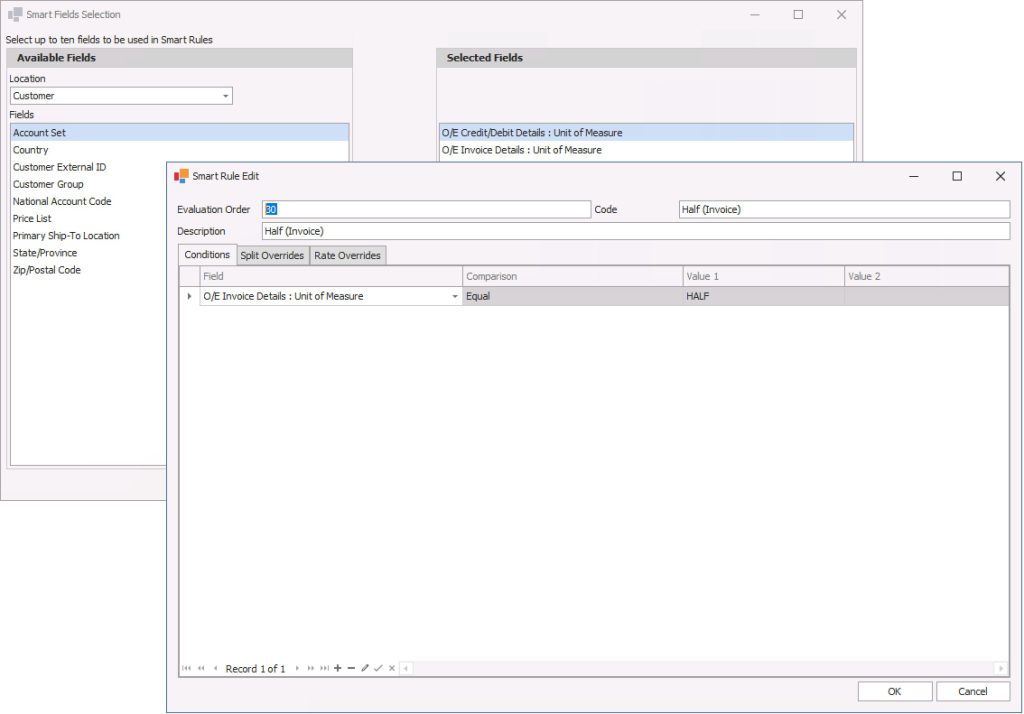
Override commission rates and splits based on fields on:
- Customer
- Ship-to
- Invoice
- Invoice details
- Item level
Including custom (optional) fields.
| Feature | Standard | Premium | Ultimate |
|---|---|---|---|
| Rate Tables. Define different commission rates depending on the volume of sales. Each sales person is assigned to a rate table. | Progressive, Cumulative | Progressive, Cumulative | Progressive, Cumulative |
| Rate Table Ranges Based On | Sales Amount, Profit Amount, Profit Percentage | Sales Amount, Profit Amount, Profit Percentage | Sales Amount, Profit Amount, Profit Percentage, Quantity |
| Commissions Based On | Sales Amount, Profit Amount | Sales Amount, Profit Amount | Sales Amount, Profit Amount, Quantity |
| Calculate Commissions Based On | Individual Transactions, Totals for a Period | Individual Transactions, Totals for a Period | Individual Transactions, Totals for a Period |
| Commissions are Paid On | Invoice Date, Invoice Due Date, Payment Date, Payment Apply Date | Invoice Date, Invoice Due Date, Payment Date, Payment Apply Date | Invoice Date, Invoice Due Date, Payment Date, Payment Apply Date |
| Sales Split | Invoice then Customer, Invoice Only, Customer Only | Invoice then Customer, Invoice Only, Customer Only | Invoice then Customer, Invoice Only, Customer Only |
| Override Sales Split from ERP System | Yes | Yes | Yes |
| Override Commissions Calculation Method in Each Calculation | Yes | Yes | Yes |
| Pay salespersons via AP bill | Yes | Yes | Yes |
| Pay sales persons via US or Canadian payroll timecard | Yes | Yes | Yes |
| Store Commissions Calculation History | Yes | Yes | Yes |
| Export Commission Calculation Details into Excel | Yes | Yes | Yes |
| Custom ERP Interface (additional cost) | Yes | Yes | Yes |
| Custom Reporting Engine (additional cost) | Yes | Yes | Yes |
| Custom Calculation Logic (additional cost) | Yes | Yes | Yes |
| Hierarchical commissions (pay sales manager on other salespersons’ sales) | – | Yes | Yes |
| Smart fields and smart rules to override sales split and commissions rates based on customer, ship-to, invoice level fields, invoice detail level, including custom fields. | – | Yes | Yes |
| Detail (item) level calculations | – | – | Yes |
Downloads
Version 4.0
Published on May 26, 2025. Adds support for detail level calculations. The following downloads are available:
Version 3.1
Published on January 5, 2025. Adds support for Sage Intacct. The following downloads are available:
Version 3.0
Published on November 22, 2024. The following downloads are available:
Version 2.1
Published on March 6, 2024. The following downloads are available.